How to Build a Robot From Zero
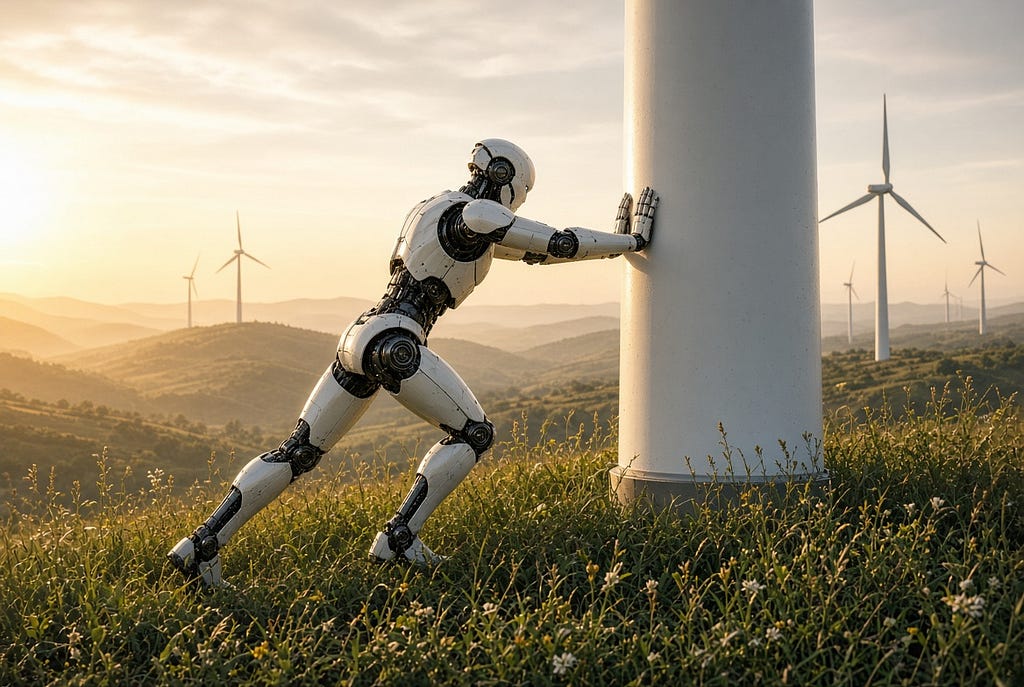
You do not need to start with AI, humanoids, or complicated mathematics. Start with a machine that can move, sense something, and make one simple decision.
When people hear the word robot, they often imagine a humanoid machine, a warehouse robot carrying shelves, or a robotic arm working inside a factory.
But a robot can be much simpler.
A small machine with two wheels, a battery, a tiny computer, and one distance sensor is already enough to learn the foundations of robotics.
The important thing is understanding what each part does and how those parts work together.
A robot basically needs to do four things:
- Sense what is happening.
- Decide what to do.
- Move.
- Check what happened.
That cycle repeats again and again.
Let us build that idea from the ground up.
Start with the body
The physical frame of a robot is usually called the chassis.
The word sounds technical, but it simply means the structure that holds everything together.
Think about the frame of a car.
The engine, seats, wheels, battery, and other components are attached to the car’s frame.
A small robot works the same way.
The chassis might be a flat piece of plastic or metal with holes where you can attach motors, wheels, sensors, a battery, and the electronic boards.
For a first robot, there is no reason to make the body complicated.
You mainly need something strong enough to hold the parts.
Now the robot needs to move
The easiest way to make a small robot move is with two electric motors.
One motor turns the left wheel.
The other motor turns the right wheel.
This gives the robot a surprisingly large amount of control.
If both wheels turn forward at the same speed, the robot moves forward.
If the left wheel slows down while the right wheel continues moving, the robot turns left.
If the right wheel slows down, the robot turns right.
If one wheel turns forward while the other turns backward, the robot can rotate almost in place.
This type of movement is common in small mobile robots.
But there is already a problem.
The little computer that controls the robot usually cannot provide enough electrical power to run the motors directly.
So we need another part.
What is a motor driver?
A motor driver is an electronic middleman between the robot’s computer and its motors.
The computer might say:
“Turn the left motor forward.”
But the computer itself is designed to work with small electrical signals.
The motor needs considerably more electrical power.
The motor driver receives the small instruction from the computer and controls the larger amount of electricity going to the motor.
The connection looks like this:
Computer
↓
Motor driver
↓
Motor
↓
Wheel
This separation is important.
The computer decides what should happen.
The motor driver handles the electrical power needed to make it happen.
Now we need the robot’s brain
This is where names like Arduino and Raspberry Pi start appearing.
They are both small electronic boards, but they serve different purposes.
Let us start with Arduino.
What is an Arduino?
An Arduino is a small electronic board containing a device called a microcontroller.
A microcontroller is a tiny computer designed mainly to control physical hardware.
Instead of opening websites or running office software, it does simple jobs such as:
- reading a sensor,
- turning a motor on,
- turning a light off,
- checking a button,
- or moving a small mechanical part.
You write a program on your normal computer and load that program onto the Arduino.
After that, the Arduino can run those instructions by itself.
For example, you could give it a program that says:
Check the distance ahead.

If something is closer than 30 centimeters:
    stop.

Otherwise:
    move forward.
The Arduino can repeat that process many times every second.
This is why microcontrollers are used in much more than robots.
Cars, washing machines, toys, thermostats, appliances, and many other machines contain microcontrollers.
They are small computers whose job is usually to control something physical.
Then what is a Raspberry Pi?
A Raspberry Pi is also a small electronic board, but it is much closer to a normal computer.
It has a processor and memory.
It can use storage.
It can connect to Wi-Fi.
It can have USB devices connected to it.
It can run an operating system.
You can connect a screen, keyboard, and mouse to some Raspberry Pi models and use them like a small desktop computer.
That means it can handle much more complicated software than a basic Arduino.
For example, a Raspberry Pi could process images from a camera.
It could communicate with another computer over the internet.
It could store maps.
It could run Python programs.
It could operate a web server.
It could run software that decides where a robot should travel.
So a simple way to understand the difference is:
Arduino
Small computer for directly controlling hardware.

Raspberry Pi
Small general-purpose computer for running more advanced software.
A robot can use one or both.
For a very simple robot, an Arduino may be enough.
For a robot with cameras, networking, maps, or more advanced software, a Raspberry Pi becomes useful.
A more advanced robot might even divide the jobs.
The Raspberry Pi decides:
“Go to the charging station.”
The Arduino handles:
“Left motor at this speed.”
“Right motor at this speed.”
That is similar to a company where one person decides what needs to happen and another handles the detailed physical work.
The robot also needs electricity
Nothing works without power.
Our robot needs a battery.
But choosing a battery is not simply a matter of connecting the biggest battery you can find.
Electronic parts are designed to operate at particular voltages.
Voltage is basically the electrical pressure supplied to a device.
Give a component too little voltage and it may not work correctly.
Give it too much and you can damage it.
The motors may require one voltage while the computer requires another.
That is why robots sometimes use something called a voltage regulator.
A voltage regulator takes electrical power coming from the battery and provides the stable voltage required by another component.
For example:
Battery
↓
Voltage regulator
↓
Computer
The motors may receive power through a different path:
Battery
↓
Motor driver
↓
Motors
The battery is therefore not only about how long the robot can run.
It is part of the electrical design of the entire machine.
A moving robot still does not understand its surroundings
At this point our machine can move.
But if we tell it to drive forward, it may continue driving until it hits something.
So the robot needs sensors.
A sensor is simply a device that measures something about the physical world.
Your phone contains many sensors.
It knows when you rotate it.
It can measure light.
It has cameras.
It can detect movement.
Robots use sensors for the same reason.
They need information about what is happening around them.
For our first robot, a distance sensor is enough.
What is a distance sensor?
A distance sensor helps the robot determine how far away something is.
One common type uses sound.
It sends out a sound that humans cannot normally hear.
The sound travels through the air, hits an object, and comes back.
The sensor measures how long that trip took.
From that time, the robot can estimate the distance.
It works somewhat like shouting inside an empty building and hearing the echo return.
Now the robot can ask:
“Is something in front of me?”
If the answer is no, continue moving.
If the answer is yes, stop or turn.
That small addition changes the machine.
Before, it simply followed movement instructions.
Now it can react to its environment.
This is the beginning of autonomy
Suppose we program the robot like this:
Move forward.

Measure the distance ahead.

If the path is clear:
    keep moving.

If something is close:
    stop.
    turn right.
    continue moving.
Nobody needs to press a remote-control button every second.
The robot receives information from its sensor and changes its behavior.
That is a very simple form of autonomous operation.
There is no artificial intelligence involved.
There does not need to be.
Robotics existed long before today’s AI models.
The robot also needs to know what actually happened
Here is where robotics becomes more interesting.
Imagine the computer sends this instruction:
MOVE FORWARD
Did the robot actually move?
We do not know.
The computer only knows that it requested movement.
Maybe the battery is almost empty.
Maybe a wire came loose.
Maybe the motor driver failed.
Maybe one wheel is stuck.
Maybe the motor received power but could not turn.
This creates an important distinction:
A command is not the same thing as a result.
Good robotics systems constantly check what actually happened.
One way to do this is with something called an encoder.
What is an encoder?
An encoder is a sensor that measures movement of a motor or wheel.
Imagine placing a small counter on a wheel.
Every time the wheel turns, the counter records how much it moved.
That is essentially what an encoder helps the robot do.
Now the computer can say:
“I asked the wheel to turn.”
And then verify:
“The wheel actually turned.”
Encoders can also help estimate how far the robot has traveled.
If the computer knows the size of the wheel and how many times it rotated, it can calculate an approximate distance.
What is an IMU?
Another term you will eventually encounter is IMU.
It stands for Inertial Measurement Unit.
Despite the complicated name, the idea is simple.
It is a small sensor that helps measure movement, rotation, and sometimes orientation.
Your smartphone contains similar technology.
When you turn your phone sideways and the screen rotates, sensors inside the phone helped detect that movement.
A robot can use an IMU to understand things such as:
- Am I turning?
- Am I leaning?
- Did I suddenly accelerate?
- Did my direction change?
An encoder tells us something about the wheels.
An IMU tells us something about the movement of the robot itself.
Combining information from different sensors gives the robot a better understanding of what is happening.
Then there is LiDAR
More advanced mobile robots often use LiDAR.
LiDAR is a sensor that measures distances using laser light.
It sends out light and measures how long it takes for that light to return after hitting an object.
By doing this many times in many directions, the robot can build a picture of the space around it.
The result may look something like a map made from thousands of distance measurements.
A robot can use LiDAR to identify:
- walls,
- shelves,
- equipment,
- open spaces,
- and other objects around it.
This is one reason warehouse robots can operate in spaces much more complicated than the simple robot we are building.
But the idea is still the same.
Measure the environment.
Give those measurements to the computer.
Use the information to decide what to do next.
How does a robot know where it is?
Once you add more sensors, a new problem appears.
The robot may know that a wall is two meters away.
But where is the robot itself?
This problem is called localization.
Localization simply means determining the robot’s position.
If the robot also has to create a map of an unknown space at the same time, you may hear the term SLAM.
SLAM stands for Simultaneous Localization and Mapping.
The name describes exactly what is happening.
The robot is trying to build a map while also determining where it is inside that map.
Modern robots may combine information from LiDAR, cameras, wheel encoders, IMUs, GPS, and other sensors to do this.
You do not need SLAM for your first robot.
But this is how our tiny two-wheel machine begins connecting to the much larger world of professional robotics.
Where does AI fit?
Notice how far we have come without discussing AI.
We already have a machine that can:
- move,
- sense objects,
- make simple decisions,
- measure wheel movement,
- and potentially understand its direction.
AI can be added later.
For example, connect a camera to a Raspberry Pi.
Normal software receives the camera image.
An AI model could examine the image and recognize:
- a person,
- a box,
- a vehicle,
- a damaged object,
- or another type of object.
The AI could then provide information to the rest of the robot.
But AI still does not physically turn the wheel.
The lower-level robot systems remain responsible for controlling the hardware.
That separation is important.
A robot should not become a mysterious black box where an AI model directly controls everything.
Different parts of the system should have clearly defined responsibilities.
Our complete beginner robot
At this point the architecture might look like this:
Distance sensor
↓
Arduino
↓
Motor driver
↓
Two motors
↓
Wheels

Battery
↓
Provides power to the system
Later we might expand it:
Camera
↓
Raspberry Pi
↓
Higher-level decision
↓
Arduino
↓
Motor driver
↓
Motors
And later still:
LiDAR ────────┐
Camera ───────┤
IMU ──────────┤
Encoders ─────┤
              ↓
       Robot computer
              ↓
         Navigation
              ↓
        Motor control
              ↓
            Robot
The diagrams get larger.
The software becomes more complicated.
The sensors become more advanced.
But the basic idea never really disappears.
Sense.
Decide.
Act.
Measure what happened.
Repeat.
That is the foundation.
Before worrying about humanoid robots, advanced AI, autonomous fleets, or machines working across entire factories, it is worth understanding this small machine first.
Because the large robot moving through a warehouse and the little two-wheel robot moving across your desk are solving many of the same fundamental problems.
They are just solving them at very different scales.